
On the road · Printable organizer
A travel folder everyone can find
You can split a dog travel document folder into an active section for this trip and a backup section for standing records.
 By Jess Harlan, Field editor · 2 min read · Published · Updated
How should you organize a dog travel folder?
You can split a dog travel document folder into an active section for this trip and a backup section for standing records. Choose labels that the other person carrying the folder will understand.
Put the documents confirmed for this particular trip in the active section. Check current requirements with the destination authority, carrier and veterinary team where relevant. This folder layout does not tell you which documents your trip requires.
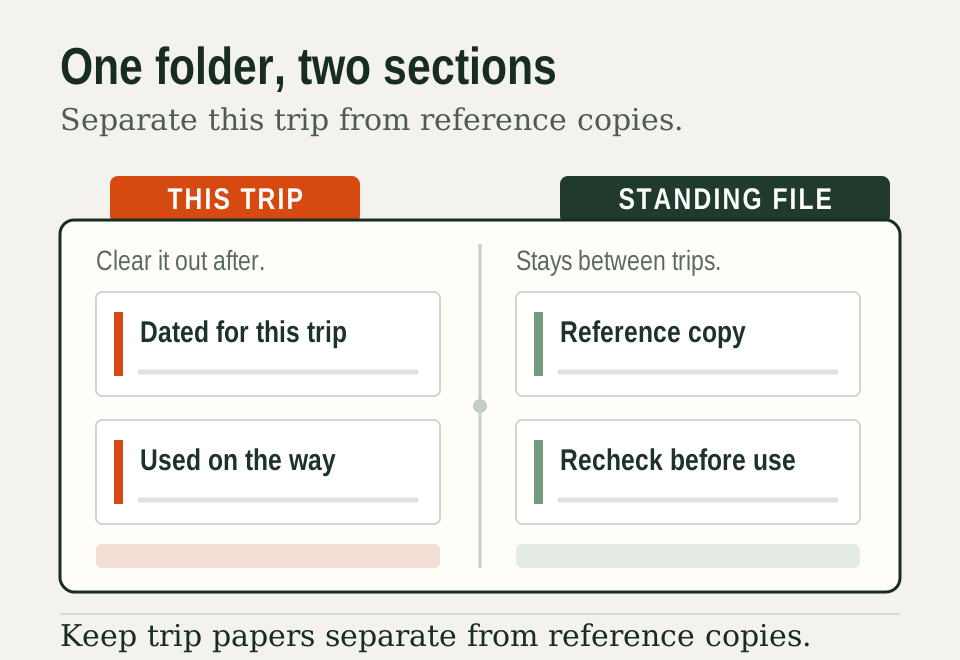
Use the backup section for reference material you want to keep available, such as your veterinary contact information or a copy of an existing record. Keep anything sensitive out of the shared folder and store it separately.
What goes in each section of the folder?
A quick sort at the kitchen table sets up the whole trip. Use this as a starting guide, then adjust it to your own plans.
| Active section: this trip | Backup section: standing records |
|---|---|
| Booking confirmations for stays and transport | Copies of existing vaccination records |
| Documents your vet or carrier confirmed for this trip | Your regular clinic's details |
| Your day-by-day route and pickup plan | A recent clear photo of your dog |
| Any feeding or medication notes for the travel days | Microchip paperwork, if you have it |
Coming home from abroad has its own checklist. The CDC’s page on bringing a dog into the U.S. says requirements depend on where the dog was vaccinated. They also depend on which countries it visited in the six months before entry. Check it early, well before the return leg.
Copy the folder index
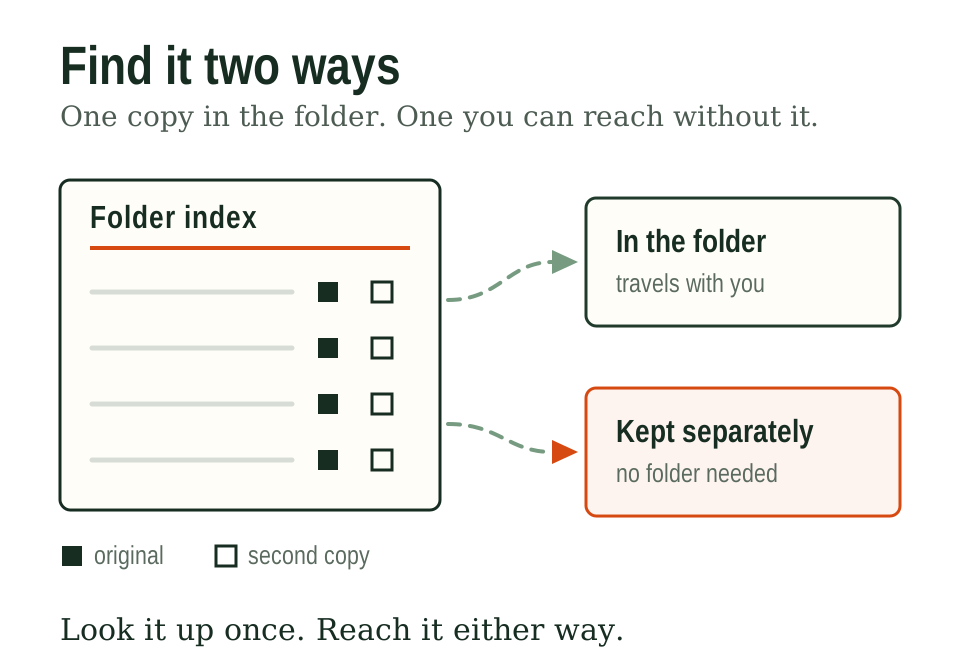
Print or write out a folder index and keep a copy in both the physical folder and your phone. An index is a one-page list naming what’s in the folder and where, not the documents themselves, so it works as a table of contents you can scan in seconds at a check-in counter or vet’s front desk.

Copying the index means making a duplicate you carry separately from the folder itself, a photo on your phone, an email to yourself, or a printed second copy in a glove box. If the folder is lost or left behind, the index alone tells you (or anyone helping you) exactly what’s missing and where it was supposed to be.
Keep the index short. One page, plain list, no narrative. A folder index that takes longer to read than the documents themselves defeats its own purpose.
Test access before leaving
Open every pocket and confirm you can read every document before you leave the driveway, not after you’ve reached a check-in line.

- Open each pocket and pull the document partway out to confirm it’s the version required for this trip.
- Check certificate validity against the dates and stages of the trip that require it.
- Confirm the digital backup on your phone opens without a signal.
Remove obsolete versions
Set a simple habit instead of relying on memory:
- When a new certificate arrives, remove the old one immediately, not “later.”
- Write the date of removal on the back of the outdated document if you’re keeping it in a separate home archive.
- Check the folder against the index every few months, since a page in the index pointing to a document that’s no longer there is a sign the physical folder has drifted.
A relaxed packing-day routine
The folder feels easiest when it has its own moment on packing day. Try this order:
- Pack the folder first, before the snacks, toys and leashes.
- Walk through the index with whoever is traveling with you.
- Agree who carries the folder on each day of the trip.
- Tuck it in the same bag every time, so everyone knows where to reach.
That last habit pays off at every stop. A folder that always lives in the front pocket of one bag is a folder nobody has to hunt for.
Questions readers ask
What documents should I bring when traveling with my dog?
That depends on where you are going and how you travel. Check with the destination authority, your carrier and your vet for this trip. Put the confirmed documents in the active section of your folder, and keep standing records like vaccination copies in the backup section.
Should I keep digital copies of my dog's travel documents?
Digital copies make a handy backup to your paper folder. Save them in a place that opens without a signal, and test that before you leave. Keep the paper originals together in the folder too, so both formats are on hand wherever you stop.
How do I keep a dog travel folder organized on a long trip?
Give each document a home, and put it back there every time you use it. Check the folder against the index at the end of each travel day. It takes about a minute, and it keeps the next morning smooth and cheerful.